All customers should understand their memberships and subscriptions so that they can know what to expect when it comes to access and billing. This page should help to address most questions; however, please don't hesitate to reach out to our team for any additional clarity.
In this article, we talk about:
- What options do I have with my subscription?
- How to Cancel a Warrior Trading Subscription
- Can I pause my access if I want to come back later?
- What does paused access mean?
- Reactivate a Paused Warrior Trading Subscription
- Renew a Warrior Trading Subscription
What options do I have with my subscription?
Subscribers have full control over their billing cycles and can cancel an upcoming renewal at any day prior to the renewal date. Cancelling the autorenewal of a subscription will:
- allow you access to your subscription contents until the expiration date,
- disable any autorenewal cycle,
- allow you to reactivate the subscription in the future (as long as Warrior Trading continues to offer the subscription), and
- indicate that you do not wish to be receive automatic renewal reminders.
If you have purchased a membership (such as Starter or Pro) and no longer have access to the classes you have purchased in the past with a membership, please reach out to our team to inquire about discounted member renewal options. If you have made a purchase in the past 3 years, you should be able to access courses in the current syllabus of any previously-purchased membership.

Members are also encouraged to use the downloadable PDFs for personal use when a membership is not active. You can learn more about such downloadable resources here.
How to Cancel a Warrior Trading Subscription
Step 1: Sign into your Member's Dashboard. If you are having trouble signing in to the Member's Dashboard, check out this article here. If you do not have any active access, you will receive an "Access Denied" message but can still proceed to the next step.
Step 2: Click the "My Orders & Memberships" link.

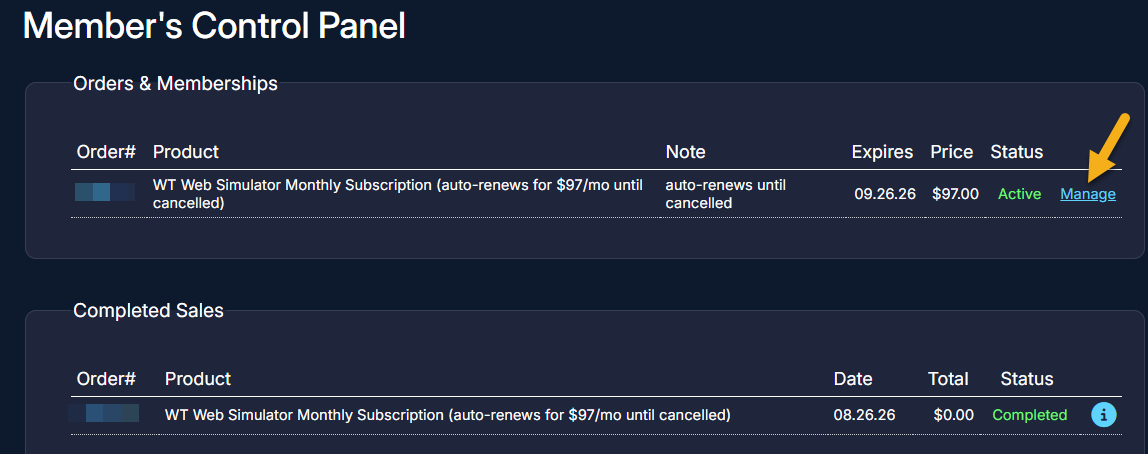
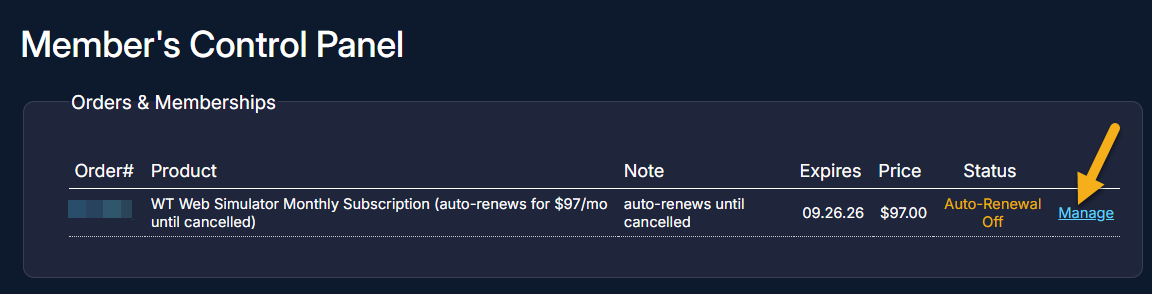
Step 3: You'll see two sections: one for your subscription history, and a Completed Sales section for a list of payments made. To change your subscription status, click the Manage button next to the subscription you'd like to adjust under Orders & Memberships.
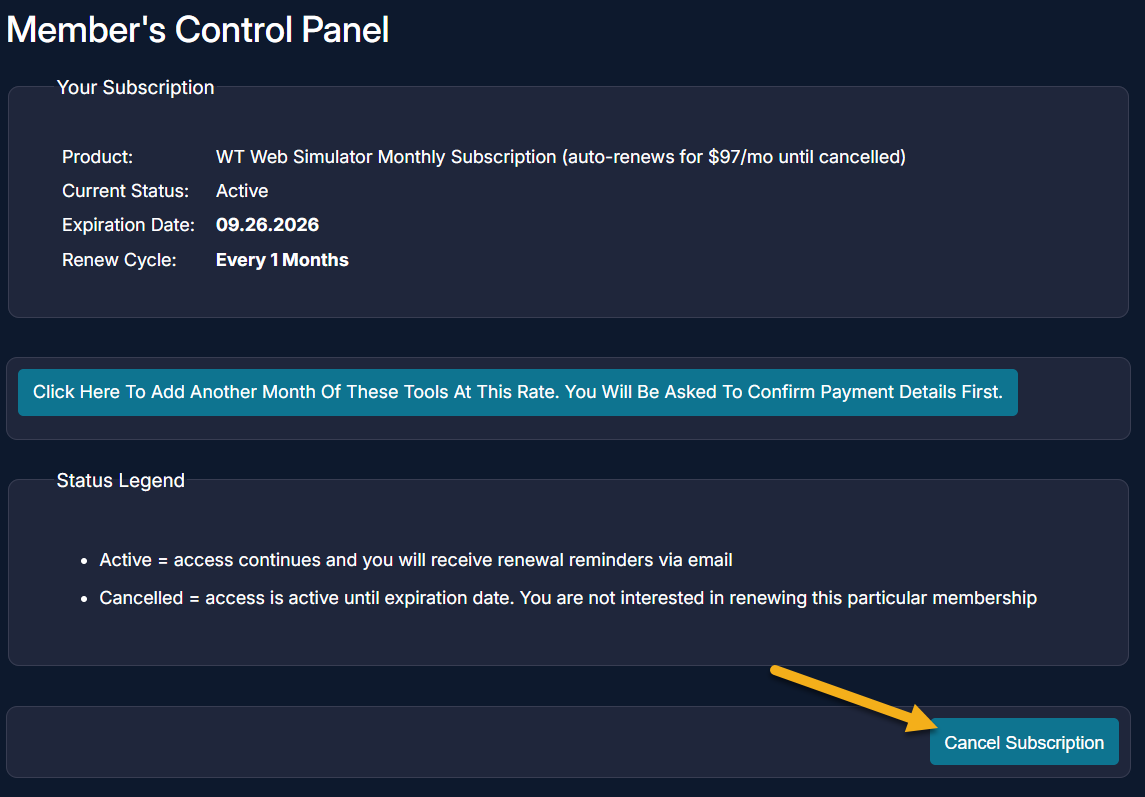
Step 4: Click Cancel Subscription and choose the most relevant cancellation reason from the drop-down menu that appears.
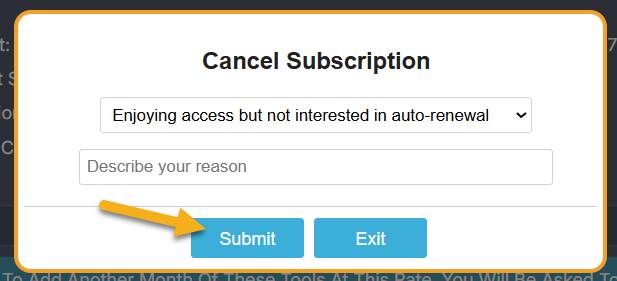
Step 5: Click "Submit."
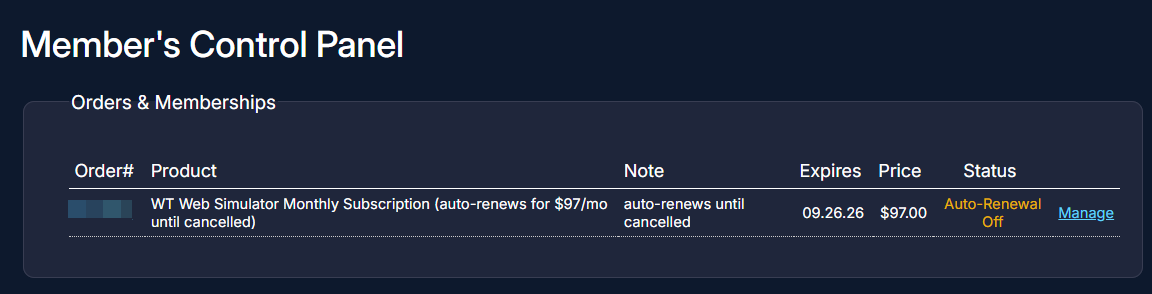
You should see that your subscription status has changed to Auto-Renewal Off. This confirms that this subscription will not renew. You'll have access until the expiration date.
Can I pause my access if I want to come back later?
Access cannot be placed on hold mid-payment cycle. However, members have full control to cancel an upcoming renewal (please follow the cancellation instructions above).
When you are ready to resume access, simply renew your access using the renewal instructions below.
What does paused access mean?
Our system may change an existing membership or subscription status to "Paused" when a member upgrades or switches to a new subscription. This pausing helps to ensure that members are not double-billed for both a new and older subscription.
Members who upgrade from Starter to Pro will see their Starter membership become "paused" so that the system no longer recognizes them as a Starter member. This is expected behavior.
In the event a subscription (such as a Day Trade Dash or community subscription) is set to "paused" with remaining time on it, members are encouraged to reach out to us to let us know:
- when they are ready to unpause that subscription (submit a request here), or
- if they prefer the previous subscription time to be credited to the new subscription (remaining time will be prorated at the new subscription price). We are working on developing a way for our system to do this automatically.
Why is pausing discontinued?
Some long-time members may recall having a pausing feature available to use for placing their own subscriptions on hold during extended absences. This feature was discontinued for simulator subscriptions in April 2022 and fully discontinued as of April 1, 2023 due to the nature of the fees that we pay on our members' behalf for live market data and more (read more below).
Warrior Trading looks very different now than when we originally placed pause capabilities in our members’ hands: access didn’t include live market data fees and other fees that we now pay, such as for streaming, software, and vendor licenses.
Subscribers who don’t sign in regularly may find a better fit with a monthly subscription than an annual renewal (where available). On a monthly subscription, you have control over when your next month is billed, and could wait to make that next payment until you’re ready to resume your access.
Reactivate a Paused Warrior Trading Subscription
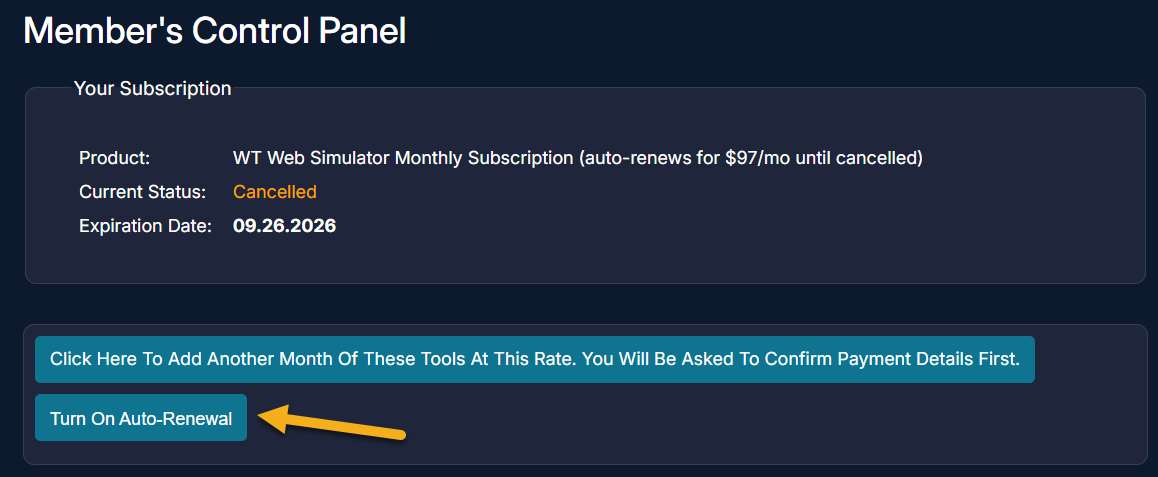
If you cancelled your subscription after August 26, 2026, and your subscription has not yet expired, you should be able to simply turn auto-renewal back on by clicking Manage, followed by Turn On Auto-Renewal.
If you are an older member with time on hold from when we had a pausing feature available prior to 2022, contact us to reactivate your access. We cannot schedule this ahead of time; just contact us here to request unpausing within 24 hours of when you want it to be reactivated.
If you do not have any time on hold and would like to reactivate by renewing access, see the information below.
Renew a Warrior Trading Subscription
Active members can find renewal information on the "Renewal Information" page on the Member's Dashboard. Expired members may be able to reinstate an expired subscription using the renewal feature (learn about that here).
Don't hesitate to reach out to us with any questions.